Computing
The subject leader for computing is Mrs Cronin.
At Giffard Park Primary School we want pupils to be MASTERS of technology. Technology is everywhere and will play a pivotal part in students' lives. Therefore, we want to model and educate our pupils on how to use technology positively, responsibly and safely. We want our pupils to be creators not consumers and our broad curriculum encompassing computer science, information technology and digital literacy reflects this.
Please view our Intent, Implementation, Impact document for an in depth look at our Computing aims.
We have a range of technology available in school inclulding 1:1 iPads in KS2, iPads in KS1 and EYFS, Chromebooks, Digital Camers, Sphero Indis, Beebots, Crumbles and Micro:Bits.
What does the Computing Curriculum look like?
The National Curriculum for Computing aims to ensure that all pupils:
- can understand and apply the fundamental principles and concepts of computer science, including abstraction, logic, algorithms and data representation
- can analyse problems in computational terms, and have repeated practical experience of writing computer programs in order to solve such problems
- can evaluate and apply information technology, including new or unfamiliar technologies, analytically to solve problems
- are responsible, competent, confident and creative users of information and communication technology.
At Giffard Park Primary School, we achieve this through using the NCCE Computing scheme as a foundation.
Computing Highlights
There have been many exciting lessons taking place in computing across the school. Read below to find out what has been happening in each year group.
Foundation
Our youngest programmers have been grouping data using different features, such as colour, size and object. This term, they will be using computational thinking skills when looking at patterns, position and direction in unplugged activities.
Year 1 & 2
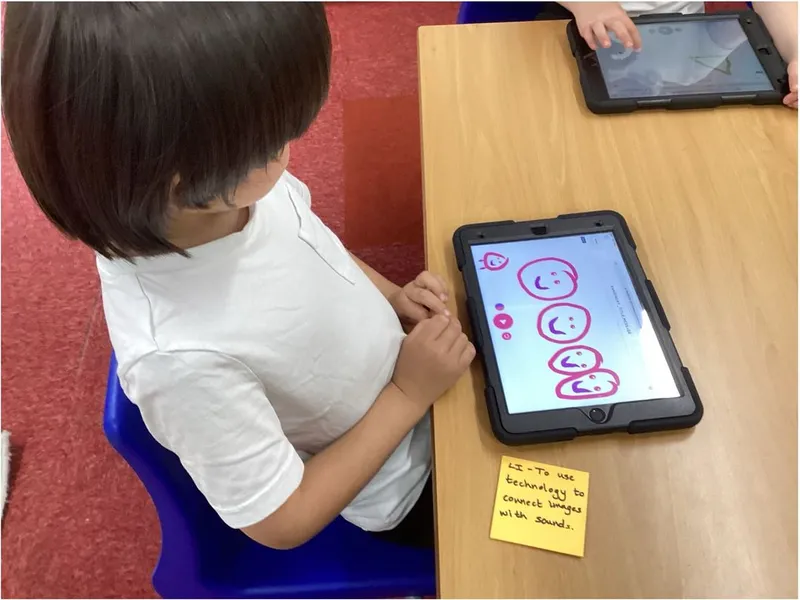
The children in Years 1 & 2 explored creating music using technolgoy. They explored a range of tools on Chrome Music Lab before creaitng their own sounds using pictures.
Year 3
In Year 3, the children have been creating stop-start animations. They explored layers and onion skinning using iPads before creating their own animations.
Year 4
Year 4 explored using Turtle playground to teach a turtle commands. They used the repeat function and taught the turtle what specific words meant. So if you typed 'square', the turtle would know how to draw a square.
Year 5
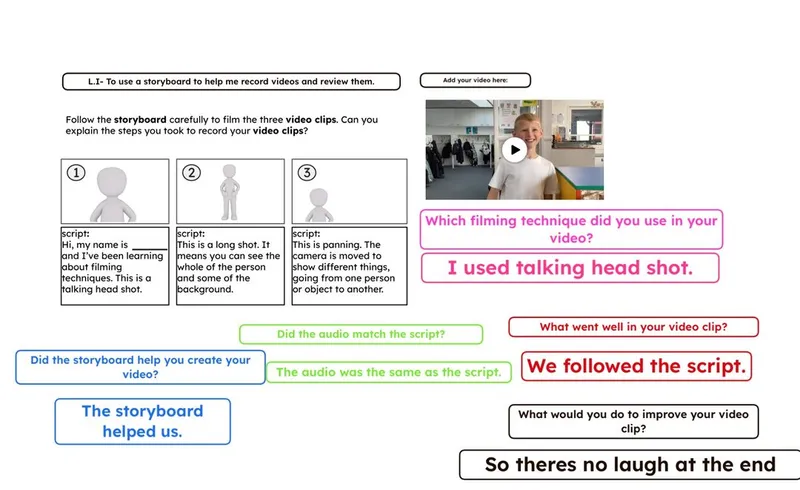
Year 5 have been learning about video recording and editing. They have been learning how to use a range of recording techniques for effect, evaluating their recording and planning their own videos using a storyboard.
Year 6
Year 6 have been using Google sheets to plan their own parties! They have looked at planning, formulas, calculations and budgeting using technology to support.
Digital Leaders
We have a team of Digital Leaders in Years 4, 5 and 6 who strive to promote computing, responsible use of technology and support users of technology across the school.


